Buy gamingshop.eu ?
We are moving the project
gamingshop.eu .
Are you interested in purchasing the domain
gamingshop.eu ?
domain@kv-gmbh.de · 0541-91531010
Buy gamingshop.eu ?
Does the Raspberry Pi not recognize the mouse keyboard?
If the Raspberry Pi is not recognizing the mouse or keyboard, it could be due to a few reasons. First, ensure that the devices are properly connected to the Raspberry Pi's USB ports. If they are connected correctly and still not recognized, try using different USB ports or restarting the Raspberry Pi. Additionally, make sure that the mouse and keyboard are compatible with the Raspberry Pi's operating system. If the issue persists, there may be a problem with the devices themselves, and trying them on another computer can help determine if they are functioning properly. **
What is the meaning of 06?
06 is a numerical representation of the sixth month of the year, which is June. In a broader sense, 06 can also represent the concept of balance and harmony, as it combines the energy of the number 0, which represents potential and wholeness, with the nurturing and harmonious energy of the number 6. In numerology, 06 can symbolize love, family, and domestic harmony, as well as the need for balance and responsibility in relationships and personal life. **
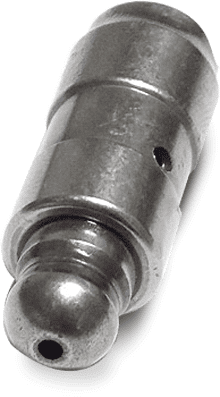

Similar search terms for FRECCIA-PI-06-0042-Tappet
Top-Angebote
Products related to FRECCIA-PI-06-0042-Tappet:
-
FRECCIA PI 06-0009 TappetFitting Position: Intake Side, Exhaust Side; Height: 68; Diameter: 21,400; Operating Mode: hydraulic; TecDoc Engine Number: 4811, 4737, 4749, 4734, 4810, 4740, 4812, 4735, 4742, 2734, 4813, 4750, 4752, 4751, 4754, 4744, 4819, 4787, 2736, 17568, 17574, 17581, 17618, 17623, 17622, 17570, 17573, 17571, 4718, 17553, 17619, 17552, 17621, 9506, 9507, 4753, 18375, 14008, 17620, 17630, 22052, 4719, 18901, 22482, 412, 410, 413, 24912, 341775,59 £*Shipping: 8,45 £Secure redirect to the provider
-
FRECCIA PI 06-0043 TappetFitting Position: Exhaust Side; for OE number: 03G 109 412 B; Operating Mode: hydraulic; TecDoc Engine Number: 20498, 17025, 16862, 17080, 17027, 17377, 18029, 17357, 17500, 18009, 18748, 18135, 18188, 18543, 18225, 18247, 18560, 18471, 18977, 18991, 20402, 21869, 24008, 20499, 24548, 20496, 20529, 20735, 20497, 20909, 26121, 2040317,49 £*Shipping: 8,45 £Secure redirect to the provider
-
FRECCIA PI 06-0045 TappetFitting Position: Intake Side; for OE number: 03G 109 411 B; Operating Mode: hydraulic; TecDoc Engine Number: 20498, 17025, 16862, 17080, 17027, 17377, 18029, 17357, 17500, 18009, 18748, 18135, 18188, 18543, 18225, 18247, 18560, 18471, 18977, 18991, 20402, 21869, 24008, 20499, 24548, 20496, 20529, 20735, 20497, 20909, 26121, 2040317,49 £*Shipping: 8,45 £Secure redirect to the provider


-
Controller or mouse/keyboard?
The choice between using a controller or a mouse/keyboard ultimately depends on personal preference and the type of game being played. Controllers are often preferred for games that require precise analog movements, such as platformers or racing games. On the other hand, mouse/keyboard setups are typically favored for first-person shooters and real-time strategy games due to the precision and speed they offer. Some players may even use a combination of both depending on the game and their comfort level with each input method. Ultimately, the best choice is the one that feels most comfortable and natural for the individual player. **
-
How do I calculate 06 times 10,000?
To calculate 06 times 10,000, you simply multiply 6 by 10,000. The result is 60,000. This can be done by multiplying the ones place first (6 x 0 = 0), then the tens place (6 x 0 = 0), and finally the hundreds place (6 x 1 = 6). Adding these results together gives you 60,000. **
-
How do I switch from console controller to PC keyboard and mouse?
To switch from using a console controller to a PC keyboard and mouse, you will need to disconnect the controller from your computer and connect a keyboard and mouse instead. If you are using a wired controller, simply unplug it from the USB port. If you are using a wireless controller, you may need to turn it off or remove its batteries. Once the controller is disconnected, you can then connect a keyboard and mouse to your computer. Your computer should automatically recognize the new input devices, and you can start using the keyboard and mouse to control your games or applications. **
-
'Controller or mouse and keyboard?'
The choice between using a controller or a mouse and keyboard ultimately comes down to personal preference and the type of game being played. Controllers are often preferred for games that require precise analog movements, such as racing or platformers, while mouse and keyboard are typically better for games that require quick and accurate aiming, like first-person shooters. Some players find controllers more comfortable for long gaming sessions, while others prefer the customization options and precision of a mouse and keyboard setup. Ultimately, the best choice is the one that feels most comfortable and intuitive for the individual player. **


Keyboard and mouse or controller?
The choice between keyboard and mouse or controller ultimately depends on personal preference and the type of game being played. Keyboard and mouse are often preferred for first-person shooters and strategy games due to their precision and quick response time. On the other hand, controllers are popular for platformers, racing games, and fighting games because of their comfort and ease of use. Some players may even use a combination of both depending on the game and their own comfort level. Ultimately, it comes down to what feels most natural and enjoyable for the individual player. **
What is the game collection FIFA 06 22?
FIFA 06 22 is a collection of the FIFA video game series, specifically focusing on the 2006 World Cup held in Germany. It includes various game modes such as World Cup, Penalty Shootout, and Global Challenge. Players can compete with national teams from around the world and experience the excitement of the tournament through realistic gameplay and graphics. The collection also features updated rosters, stadiums, and commentary to provide an immersive gaming experience for football fans. **
Top-Angebote
Products related to FRECCIA-PI-06-0042-Tappet:
-
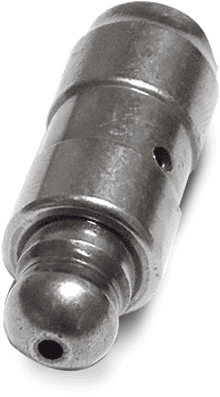
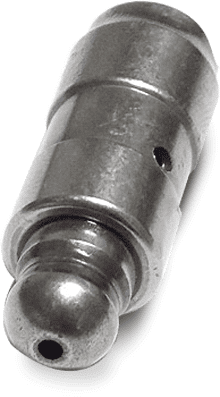
FRECCIA PI 06-0042 TappetFitting Position: Intake Side; for OE number: 03G 109 411 A; Operating Mode: hydraulic; TecDoc Engine Number: 20498, 17025, 16862, 17080, 17027, 17377, 18029, 17357, 17500, 18009, 18748, 18135, 18188, 18543, 18225, 18247, 18560, 18471, 18977, 18991, 20402, 21869, 24008, 20499, 24548, 20496, 20529, 20735, 20497, 20909, 26121, 2040317,49 £*Shipping: 8,45 £Secure redirect to the provider
-
FRECCIA PI 06-0055 TappetFitting Position: Intake Side, Exhaust Side; Operating Mode: hydraulic; TecDoc Engine Number: 31846, 26064, 24922, 26899, 31051, 26808, 26822, 35247, 28614, 31484, 20812, 24713, 31049, 20838, 24439, 25656, 24775, 24800, 24440, 24686, 24688, 28615, 28617, 32492, 33420, 35533, 35605, 35606, 35607, 35608, 35609, 30546, 35625, 35626, 35627, 30548, 41399, 30554, 30557, 30563, 31019, 31080, 31064, 31020, 31087, 31088, 31089, 31090, 31091, 31092, 31094, 31095, 31096, 31097, 31098, 31099, 31053, 33435, 32331, 33003, 33002, 35296, 35984, 36861, 38279, 48023, 48026, 39155, 41012, 41013, 41881, 41880, 41883, 41882, 4567610,49 £*Shipping: 8,45 £Secure redirect to the provider
-
FRECCIA PI 06-0009 TappetFitting Position: Intake Side, Exhaust Side; Height: 68; Diameter: 21,400; Operating Mode: hydraulic; TecDoc Engine Number: 4811, 4737, 4749, 4734, 4810, 4740, 4812, 4735, 4742, 2734, 4813, 4750, 4752, 4751, 4754, 4744, 4819, 4787, 2736, 17568, 17574, 17581, 17618, 17623, 17622, 17570, 17573, 17571, 4718, 17553, 17619, 17552, 17621, 9506, 9507, 4753, 18375, 14008, 17620, 17630, 22052, 4719, 18901, 22482, 412, 410, 413, 24912, 341775,59 £*Shipping: 8,45 £Secure redirect to the provider
-
Does the Raspberry Pi not recognize the mouse keyboard?
If the Raspberry Pi is not recognizing the mouse or keyboard, it could be due to a few reasons. First, ensure that the devices are properly connected to the Raspberry Pi's USB ports. If they are connected correctly and still not recognized, try using different USB ports or restarting the Raspberry Pi. Additionally, make sure that the mouse and keyboard are compatible with the Raspberry Pi's operating system. If the issue persists, there may be a problem with the devices themselves, and trying them on another computer can help determine if they are functioning properly. **
-
What is the meaning of 06?
06 is a numerical representation of the sixth month of the year, which is June. In a broader sense, 06 can also represent the concept of balance and harmony, as it combines the energy of the number 0, which represents potential and wholeness, with the nurturing and harmonious energy of the number 6. In numerology, 06 can symbolize love, family, and domestic harmony, as well as the need for balance and responsibility in relationships and personal life. **
-
Controller or mouse/keyboard?
The choice between using a controller or a mouse/keyboard ultimately depends on personal preference and the type of game being played. Controllers are often preferred for games that require precise analog movements, such as platformers or racing games. On the other hand, mouse/keyboard setups are typically favored for first-person shooters and real-time strategy games due to the precision and speed they offer. Some players may even use a combination of both depending on the game and their comfort level with each input method. Ultimately, the best choice is the one that feels most comfortable and natural for the individual player. **
-
How do I calculate 06 times 10,000?
To calculate 06 times 10,000, you simply multiply 6 by 10,000. The result is 60,000. This can be done by multiplying the ones place first (6 x 0 = 0), then the tens place (6 x 0 = 0), and finally the hundreds place (6 x 1 = 6). Adding these results together gives you 60,000. **
Similar search terms for FRECCIA-PI-06-0042-Tappet
-
FRECCIA PI 06-0043 TappetFitting Position: Exhaust Side; for OE number: 03G 109 412 B; Operating Mode: hydraulic; TecDoc Engine Number: 20498, 17025, 16862, 17080, 17027, 17377, 18029, 17357, 17500, 18009, 18748, 18135, 18188, 18543, 18225, 18247, 18560, 18471, 18977, 18991, 20402, 21869, 24008, 20499, 24548, 20496, 20529, 20735, 20497, 20909, 26121, 2040317,49 £*Shipping: 8,45 £Secure redirect to the provider
-
FRECCIA PI 06-0045 TappetFitting Position: Intake Side; for OE number: 03G 109 411 B; Operating Mode: hydraulic; TecDoc Engine Number: 20498, 17025, 16862, 17080, 17027, 17377, 18029, 17357, 17500, 18009, 18748, 18135, 18188, 18543, 18225, 18247, 18560, 18471, 18977, 18991, 20402, 21869, 24008, 20499, 24548, 20496, 20529, 20735, 20497, 20909, 26121, 2040317,49 £*Shipping: 8,45 £Secure redirect to the provider
-
FRECCIA PI 03-123 TappetFitting Position: Exhaust Side, Intake Side; Height 1 [mm]: 3; Outer Diameter [mm]: 28; Inner Diameter [mm]: 26; TecDoc Engine Number: 38281, 32315, 32339, 34225, 32341, 32325, 36634, 28613, 29556, 36100, 32884, 32498, 32324, 32429, 34228, 36108, 32357, 38282, 32997, 37035, 32996, 32644, 37913, 33822, 34739, 38331, 35843, 34737, 34738, 39500, 37283, 34730, 45204, 34732, 39215, 36794, 38332, 37912, 34679, 35624, 36115, 36744, 36979, 36980, 39235, 37575, 38481, 38483, 39231, 38609, 38484, 39726, 397277,29 £*Shipping: 8,45 £Secure redirect to the provider
-
FRECCIA PI 03-132 TappetFitting Position: Exhaust Side, Intake Side; Height 1 [mm]: 3,360; Outer Diameter [mm]: 28; Inner Diameter [mm]: 26; TecDoc Engine Number: 32315, 32339, 34225, 32341, 32325, 36634, 28613, 36100, 32884, 29556, 32498, 32324, 34228, 32429, 34179, 36108, 32357, 38282, 32997, 32996, 32644, 33822, 38331, 35843, 36167, 34730, 45204, 34731, 39215, 36794, 38332, 34679, 35624, 36115, 35870, 35558, 36744, 36979, 39235, 37575, 38481, 38483, 39231, 40561, 38609, 38484, 39726, 397276,59 £*Shipping: 8,45 £Secure redirect to the provider
-
How do I switch from console controller to PC keyboard and mouse?
To switch from using a console controller to a PC keyboard and mouse, you will need to disconnect the controller from your computer and connect a keyboard and mouse instead. If you are using a wired controller, simply unplug it from the USB port. If you are using a wireless controller, you may need to turn it off or remove its batteries. Once the controller is disconnected, you can then connect a keyboard and mouse to your computer. Your computer should automatically recognize the new input devices, and you can start using the keyboard and mouse to control your games or applications. **
-
'Controller or mouse and keyboard?'
The choice between using a controller or a mouse and keyboard ultimately comes down to personal preference and the type of game being played. Controllers are often preferred for games that require precise analog movements, such as racing or platformers, while mouse and keyboard are typically better for games that require quick and accurate aiming, like first-person shooters. Some players find controllers more comfortable for long gaming sessions, while others prefer the customization options and precision of a mouse and keyboard setup. Ultimately, the best choice is the one that feels most comfortable and intuitive for the individual player. **
-
Keyboard and mouse or controller?
The choice between keyboard and mouse or controller ultimately depends on personal preference and the type of game being played. Keyboard and mouse are often preferred for first-person shooters and strategy games due to their precision and quick response time. On the other hand, controllers are popular for platformers, racing games, and fighting games because of their comfort and ease of use. Some players may even use a combination of both depending on the game and their own comfort level. Ultimately, it comes down to what feels most natural and enjoyable for the individual player. **
-
What is the game collection FIFA 06 22?
FIFA 06 22 is a collection of the FIFA video game series, specifically focusing on the 2006 World Cup held in Germany. It includes various game modes such as World Cup, Penalty Shootout, and Global Challenge. Players can compete with national teams from around the world and experience the excitement of the tournament through realistic gameplay and graphics. The collection also features updated rosters, stadiums, and commentary to provide an immersive gaming experience for football fans. **
* All prices are inclusive of VAT and, if applicable, plus shipping costs. The offer information is based on the details provided by the respective shop and is updated through automated processes. Real-time updates do not occur, so deviations can occur in individual cases. ** Note: Parts of this content were created by AI.